…and the sound of the national portrait gallery. National Portrait Gallery
and a fantastic source of oodles of free sounds:
FreeSound
…and the sound of the national portrait gallery. National Portrait Gallery
and a fantastic source of oodles of free sounds:
FreeSound
…with possibly the un-coolest name ever.
No wonder people felt the Germans were a little aggressive in the late 30s and early to mid 1940s
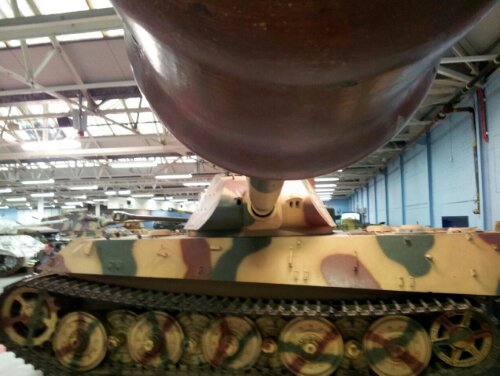
Its taken them all week to notice that we were here but they have finally arrived. Welcome the fat deer!

Eat my seed, fat deer!
Holiday leaf

And random pattern from the council

Pulled this tiny one out of the mud and brought it home

The ship ran aground in rough weather near the gravel pier.
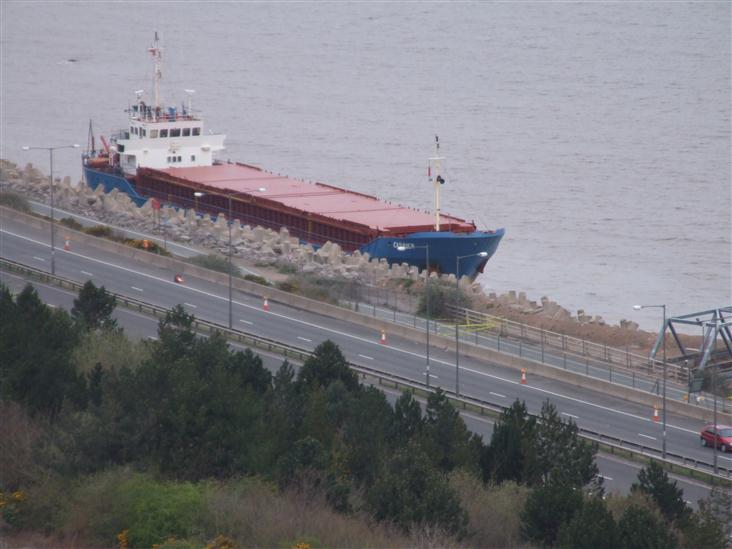
This is about as close as you could get (unless you stand on the rainbow bridge) as ‘they’ had blocked off the paths about 500metres either side of the stricken wessel.
Hi MonkeyMike,
We have received a request to permanently delete your account. Your account has been deactivated from the site and will be permanently deleted within 14 days.
If you did not request to permanently delete your account, please login to Facebook to cancel this request:
http://www.facebook.com/login.php
Thanks,
The Facebook Team
So how do you tell what dimension is associated with a measure?
Open up BIDS (SQL Server Business Intelligence Development Studio)
From the file menu select: Open > Analysis Service Database
and choose your databsae and server etc.
Let the old girl sort itself out and then in the Solution Explorer select your cube of interest.
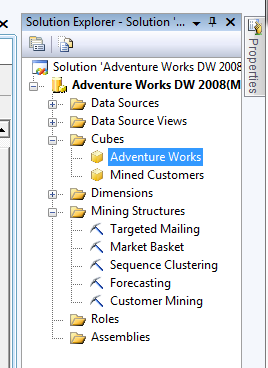
You’ll get something like this interlinked view:
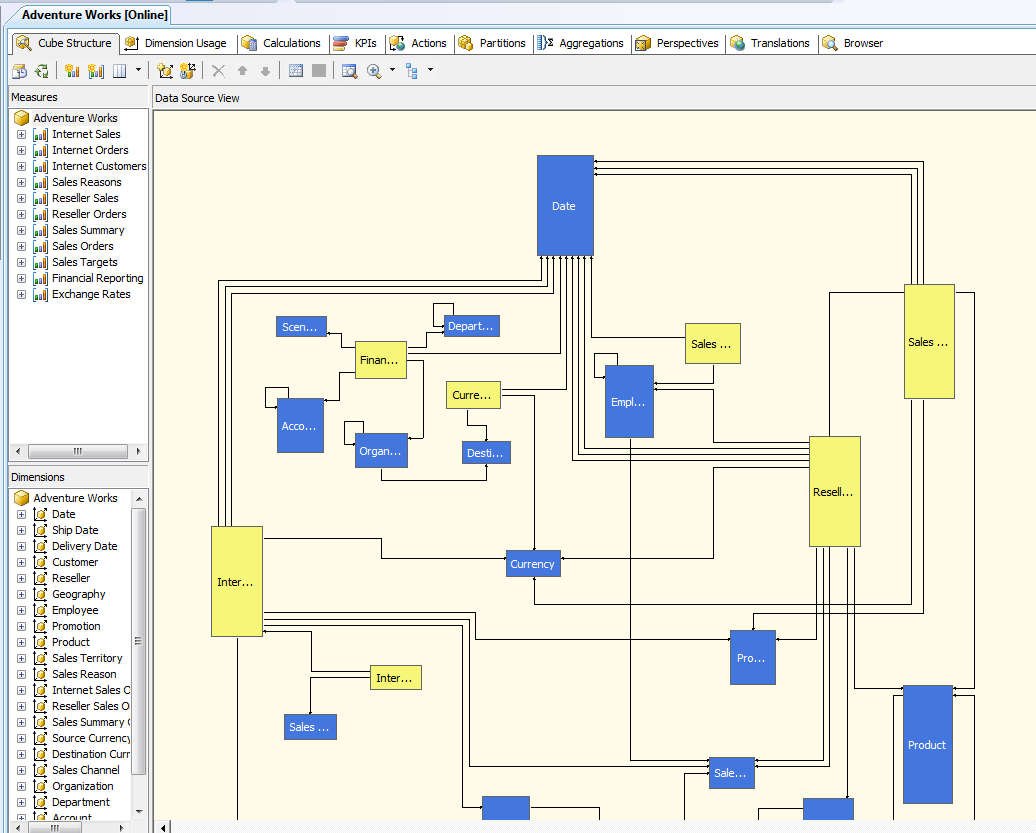
Just switch to the Dimension Usage tab:
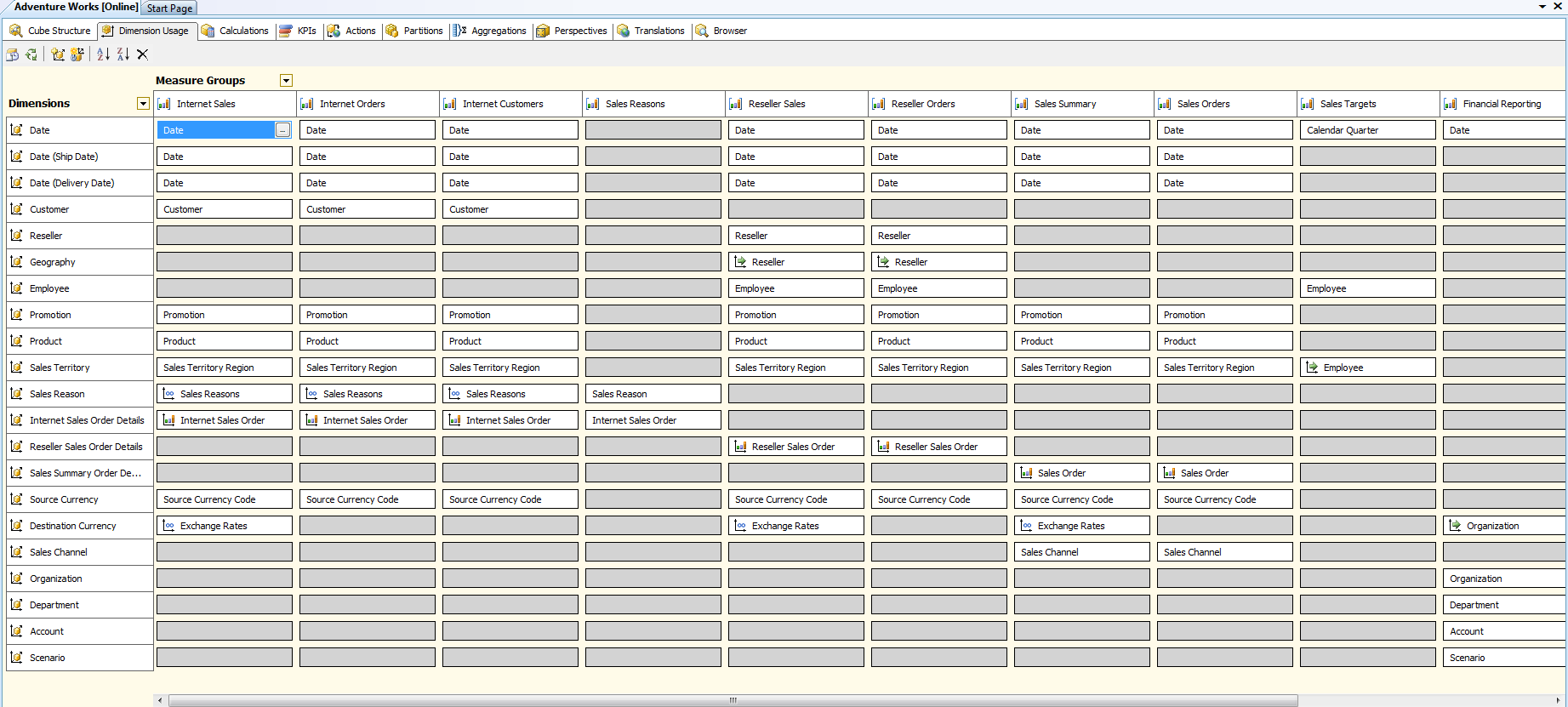
and you can see that Department is NOT linked to most measures.
WITH
SET [a] AS [Product].[Category].Levels(1).Members
SET [b] AS [Date].[Calendar].Levels(1).Members
SELECT
     Order([a], [b].Item(0), BDESC ) ON ROWS
     ,[b]  ON COLUMNS
FROM [Adventure Works];
The “Category” above is not an MDX keyword, but a part of the hierarchy under the “product” dimension.
What happens if you change the dimension to one in which the measure does not spread over?
WITH
SET [a] AS [Product].[Category].Levels(1).Members
SET [b] AS [Date].[Calendar].Levels(1).Members
SELECT
     Order([a], [b].Item(0), BDESC ) ON ROWS
     ,[b]  ON COLUMNS
FROM [Adventure Works];
Which gives:
| CY 2001 | CY 2002 | CY 2003 | CY 2004 | CY 2006 | |
| Bikes | $7,395,348.63 | $19,956,014.67 | $25,551,775.07 | $13,399,243.18 | (null) |
| Components | $615,474.98 | $3,610,092.47 | $5,482,497.29 | $2,091,011.92 | (null) |
| Clothing | $34,376.34 | $485,587.15 | $871,864.19 | $386,013.16 | (null) |
| Accessories | $20,235.36 | $92,735.35 | $296,532.88 | $161,794.33 | (null) |
Now what do we get if we only look at the top level of the row dimenion?
WITH
SET [a] AS [Product].[Category].Levels(0).Members
SET [b] AS [Date].[Calendar].Levels(1).Members
SELECT
     Order([a], [b].Item(0), BDESC ) ON ROWS
     ,[b]  ON COLUMNS
FROM [Adventure Works];
| CY 2001 | CY 2002 | CY 2003 | CY 2004 | CY 2006 | |
| All Products | $8,065,435.31 | $24,144,429.65 | $32,202,669.43 | $16,038,062.60 | (null) |
Which is just the total “whatever measure this is” for the column dimension.
Now let’s throw in a dimension which doesn’t split the measure.
WITH
SET [a] AS [Department].Levels(1).Members
SET [b] AS [Date].[Calendar].Levels(1).Members
SELECT
     Order([a], [b].Item(0), BDESC ) ON ROWS
     ,[b]  ON COLUMNS
FROM [Adventure Works];
you get this:
| CY 2001 | CY 2002 | CY 2003 | CY 2004 | CY 2006 | |
| Executive General and Administration | $8,065,435.31 | $24,144,429.65 | $32,202,669.43 | $16,038,062.60 | (null) |
| Inventory Management | $8,065,435.31 | $24,144,429.65 | $32,202,669.43 | $16,038,062.60 | (null) |
| Manufacturing | $8,065,435.31 | $24,144,429.65 | $32,202,669.43 | $16,038,062.60 | (null) |
| Quality Assurance | $8,065,435.31 | $24,144,429.65 | $32,202,669.43 | $16,038,062.60 | (null) |
| Research and Development | $8,065,435.31 | $24,144,429.65 | $32,202,669.43 | $16,038,062.60 | (null) |
| Sales and Marketing | $8,065,435.31 | $24,144,429.65 | $32,202,669.43 | $16,038,062.60 | (null) |
Which looks like a cartesian join enacted on a crosstab. So each example of the row dimention gets an instance of the column dimensions (which the measure is applicable to)
How do I find out how my measures and dimensions are related?
…for that you need BIDS.